A practical image pipeline instead of one-off cleanup work
Rubra Image Forge is a local desktop prototype built for a familiar production problem: taking a messy folder of images and turning it into a cleaner, more reusable asset set without repeating the same manual checks file by file.
The current public site baseline is R3a v0.3.1 — Development Prototype. The public repository is available, but no GitHub Release package is linked yet.
What the prototype already covers
Standard conversion for broad batches
The first mode is straightforward and useful: select files or folders, decide where the output should go and analyze the batch before writing anything.
The visible workflow includes:
- source and destination selection;
- recursive folder scanning;
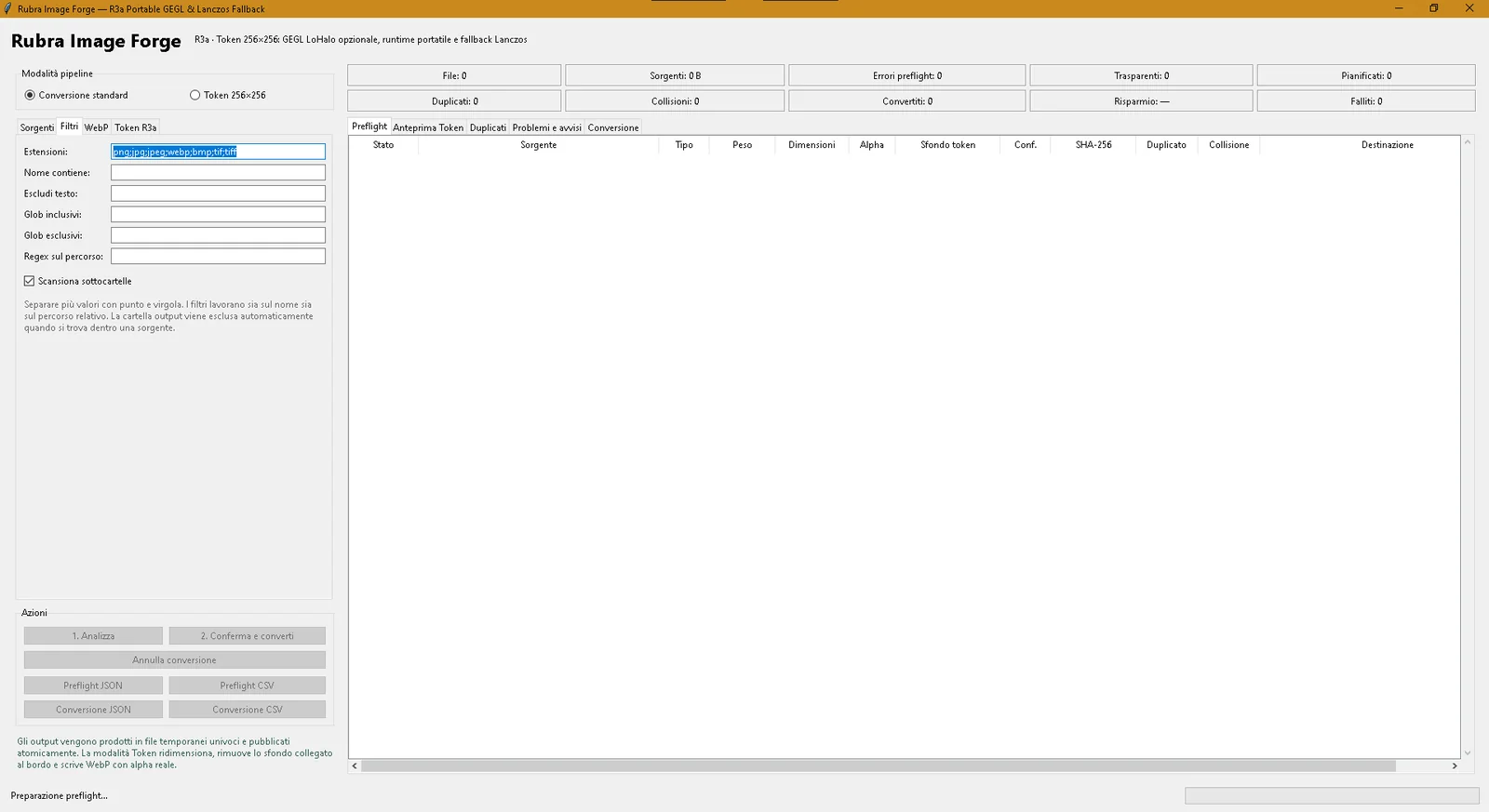
- filtering by extension, text, globs and regex;
- duplicate and collision reporting;
- conversion planning before execution.
That makes the tool feel less like a blind converter and more like a controlled staging pass for local assets.
WebP controls without hiding the trade-offs
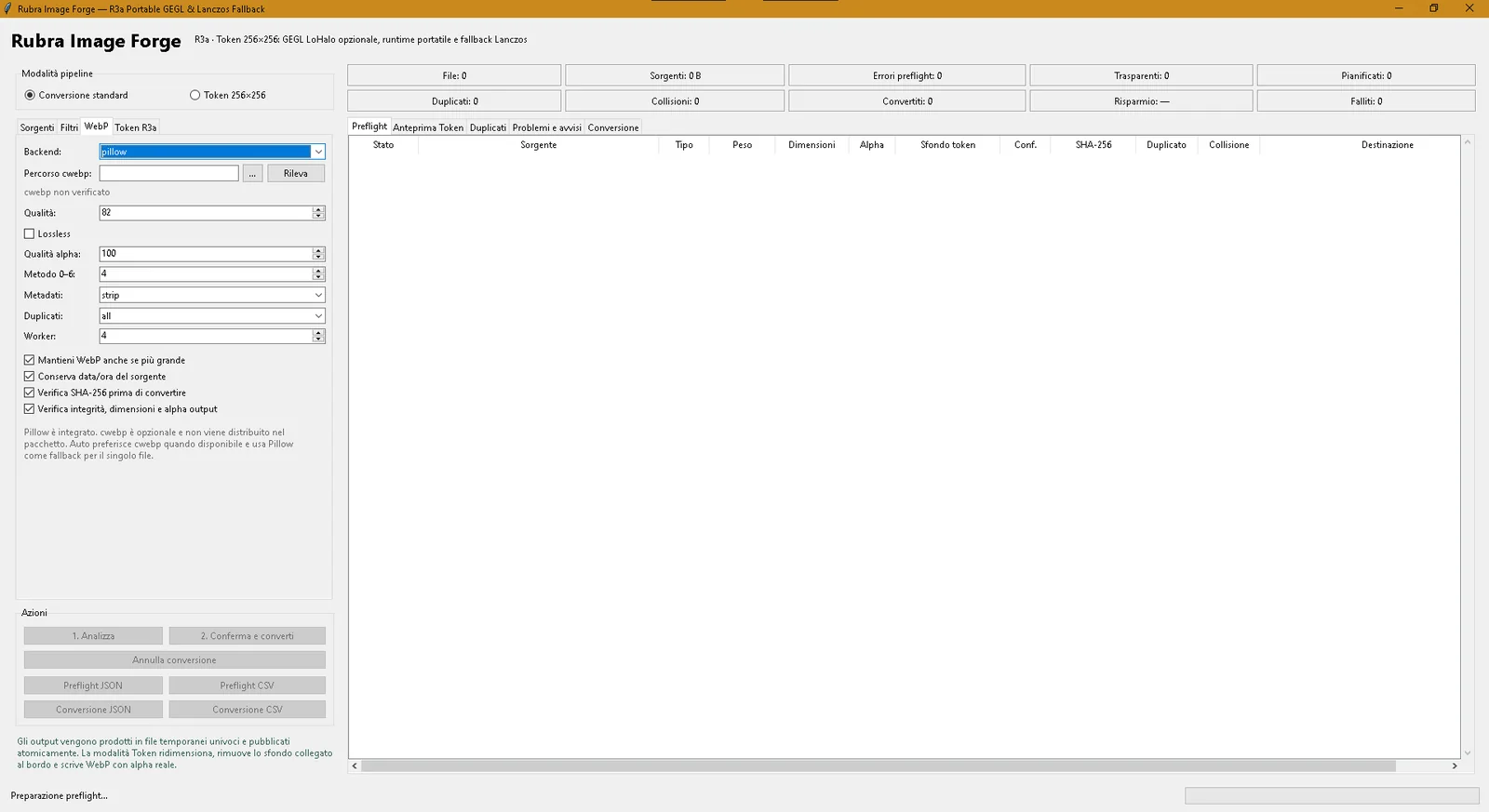
The WebP panel keeps the main decisions visible instead of burying them behind presets.
From the supplied R3a capture we can confirm that the interface exposes quality, lossless mode, alpha quality, duplicate policy, worker count, metadata stripping and output verification controls. The default backend shown in the prototype is Pillow, with optional cwebp detection rather than a hard dependency.
Token 256×256 preparation
The second visible mode is more specialized and more interesting for game work.
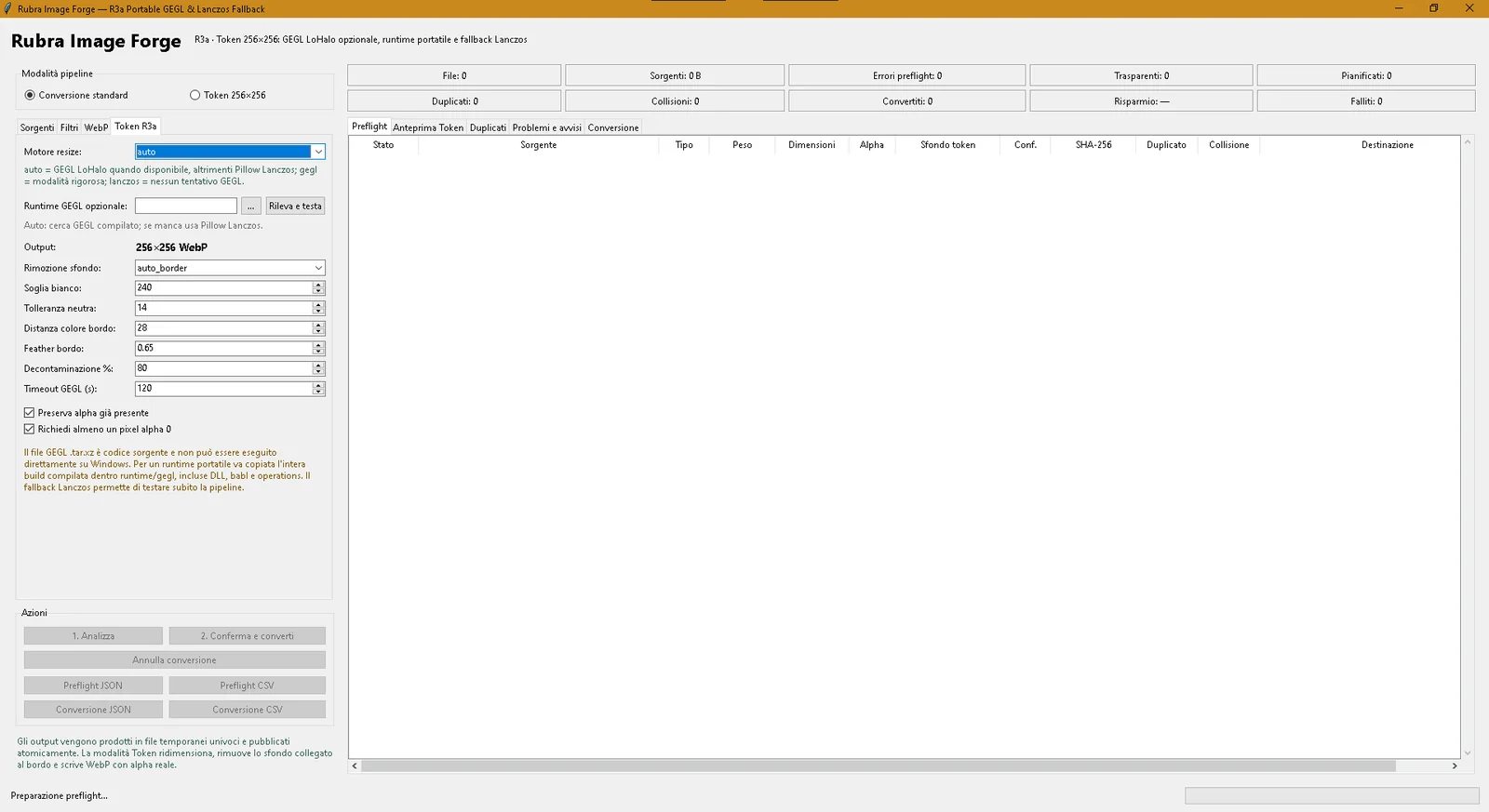
Token 256×256 is aimed at producing normalized, token-ready outputs. The R3a screen shows controls for background removal heuristics, neutral tolerance, border distance, feathering, decontamination, alpha preservation and minimum-alpha validation.
It also exposes an explicit engine choice:
- auto — use GEGL LoHalo when available;
- GEGL — the more rigorous path when the runtime is available;
- Lanczos / Pillow fallback — a practical fallback when GEGL is absent.
That is exactly the kind of design choice that fits the GVibeDev philosophy: not pretending the tool is magic, but making the pipeline and its limits understandable.
Preflight matters because large batches are where errors become expensive
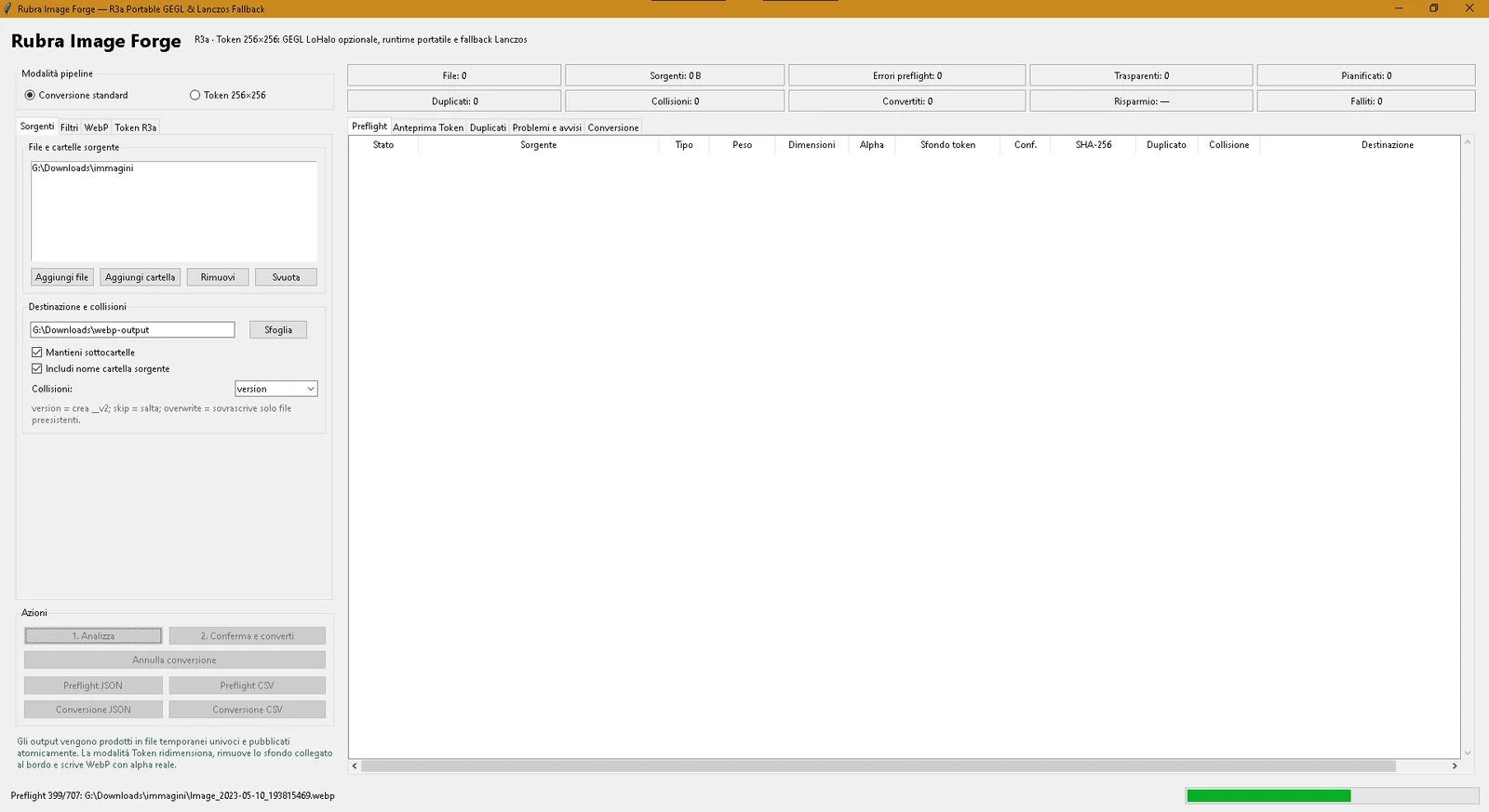
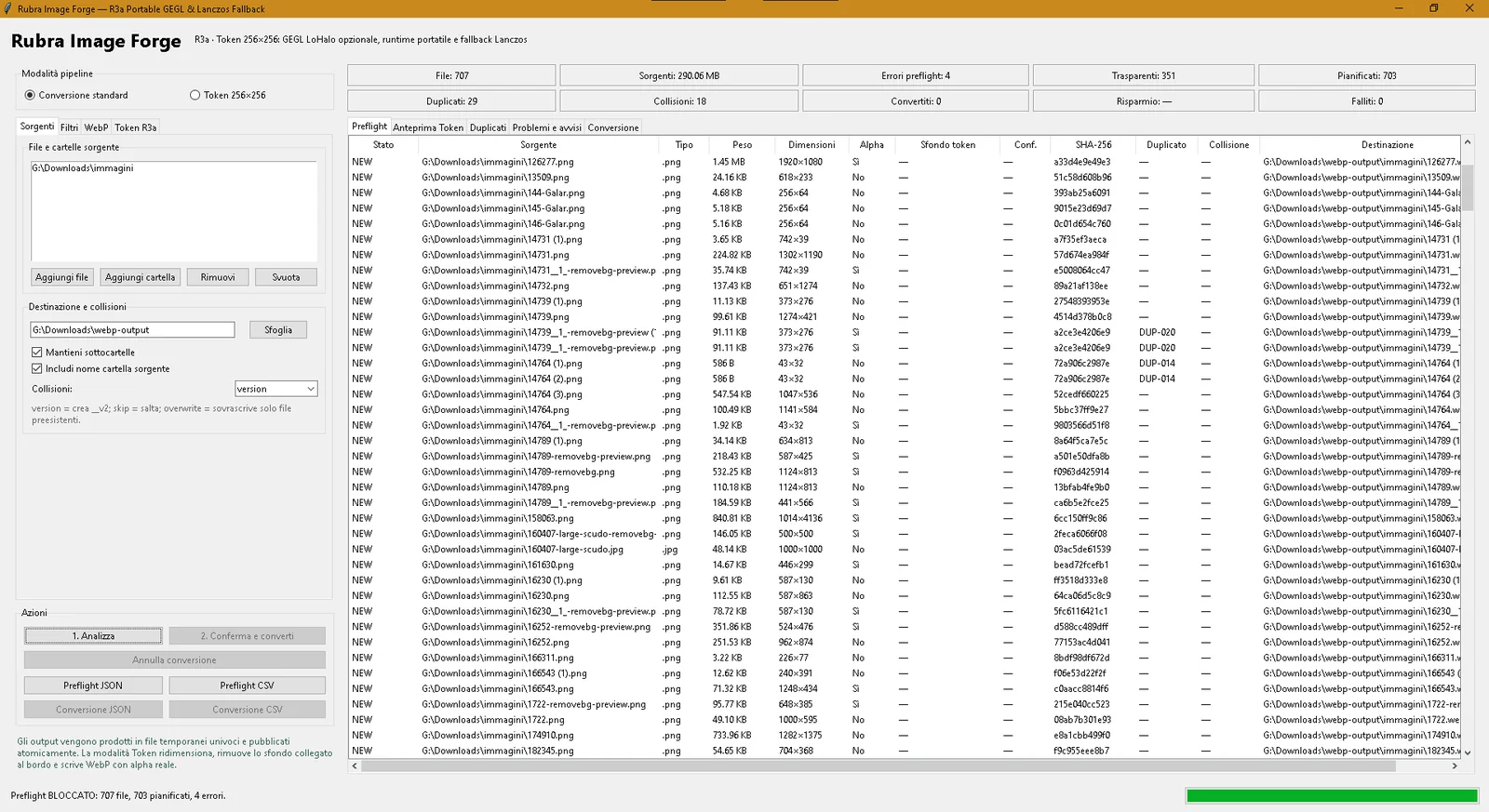
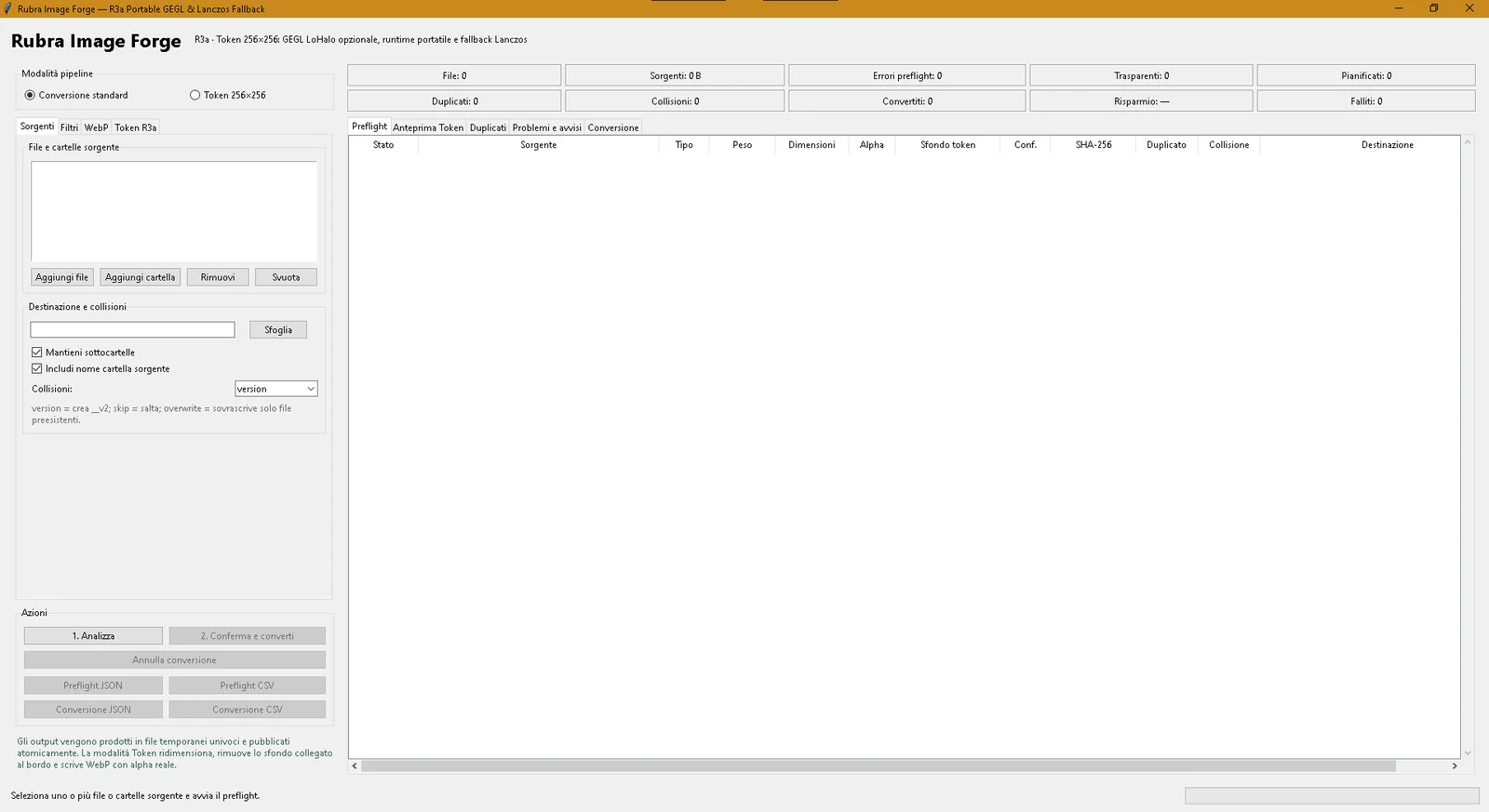
The strongest proof in the supplied material is not a clean empty screen. It is the real batch capture.
In that R3a screenshot, Rubra Image Forge processes a folder with 707 files, about 290 MB of sources, 703 planned outputs, 29 duplicates, 18 collisions, 351 transparent items and 4 blocking preflight errors.
That does not just show that the prototype opens. It shows that it has already been exercised on the kind of batch where visibility, planning and error reporting actually matter.
Why this tool belongs on GVibeDev.cc
Rubra Image Forge fits the site for the same reason Arena Rubra tools do: it turns a repeated production nuisance into an explicit workflow.
Instead of “drop images somewhere and hope the output is fine,” the workflow becomes:
Select → Filter → Analyze → Review → Convert
It is a small tool, but it reflects the same pattern seen across the broader project hub:
- identify a real bottleneck;
- expose the decisions instead of hiding them;
- test on actual workloads;
- keep room for iteration.
Current public scope
The site page deliberately stays precise about maturity.
Rubra Image Forge is currently presented as a development prototype, not as a finished packaged product. The repository is public, but no release archive is linked yet, so the page provides the repository action and does not pretend a downloadable release already exists.
That keeps the public page honest while still showing a tool that is already clearly useful.